
Your Tandoor recipes, in the kitchen.
A native iPhone and iPad app for the self-hosted recipe manager. Browse and cook, plan the week, shop aisle by aisle. Your recipes stay on your own server.
Free · iPhone and iPad · English and German · Needs Tandoor 2 or later
Bring your own Tandoor
Padella talks to a Tandoor Recipes server, version 2 or later, that you run yourself or have an account on.
Sign in your way
Use an API token, or your Tandoor username and password. Padella keeps a token on the device, never the password.
Behind a login wall? Fine.
Servers behind Cloudflare Access, Authentik and similar can add custom headers. Plain-http home servers work too.
Padella is an independent app, not made by or affiliated with the Tandoor Recipes project. It uses Tandoor's public API and contains none of its code. How to connect
One step at a time.
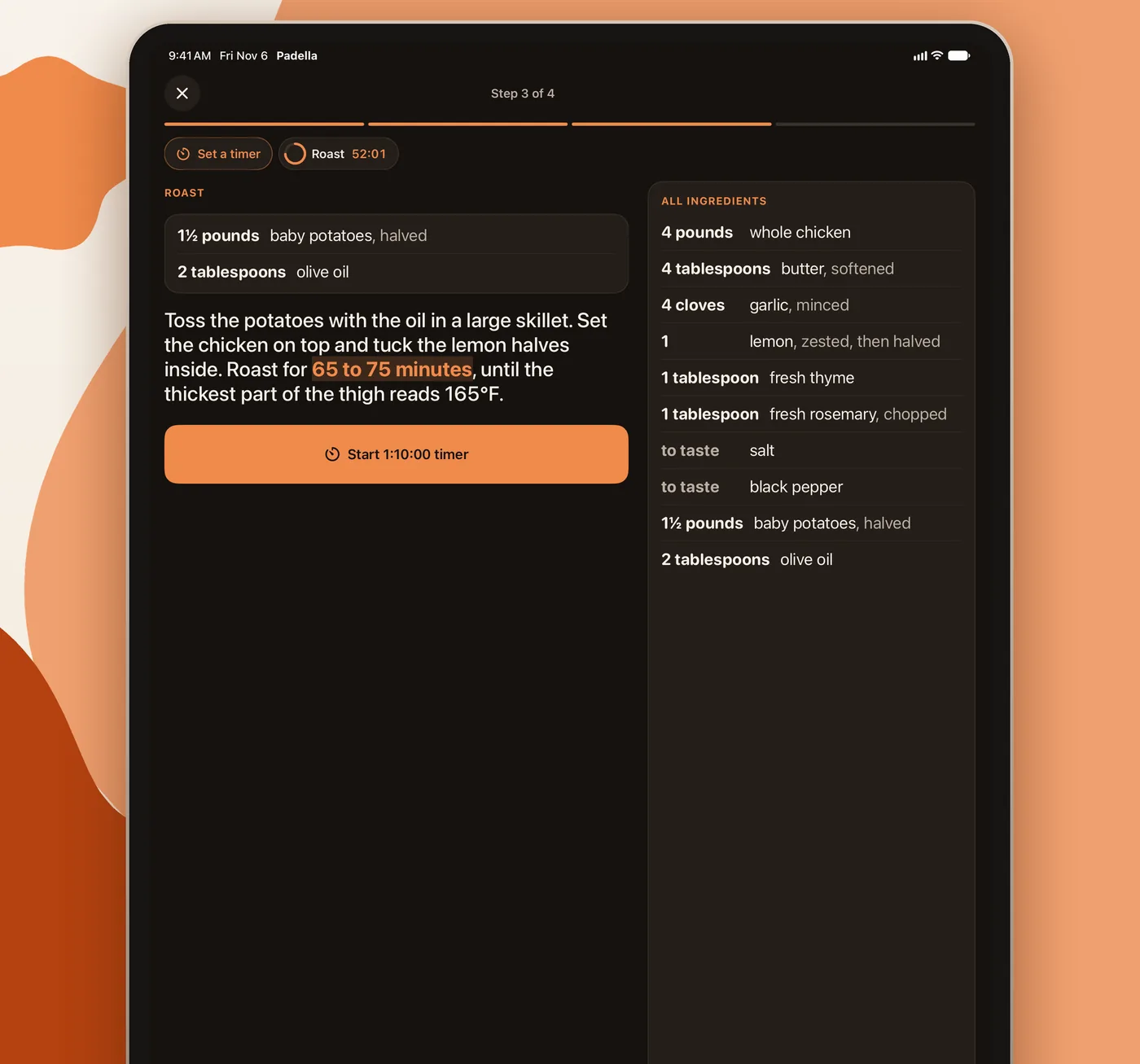
- Cooking mode shows one step with that step's ingredients right there. On iPad, the full ingredient list stays beside the steps.
- Tap a time in the instructions to start a timer, or set one of any length. Timers show on the Lock Screen and in the Dynamic Island.
- On iOS 26 and later a finished timer rings like an alarm, even on silent. On iOS 18 it alerts with a notification.
- Change the servings and every amount follows. “To taste” stays “to taste.”
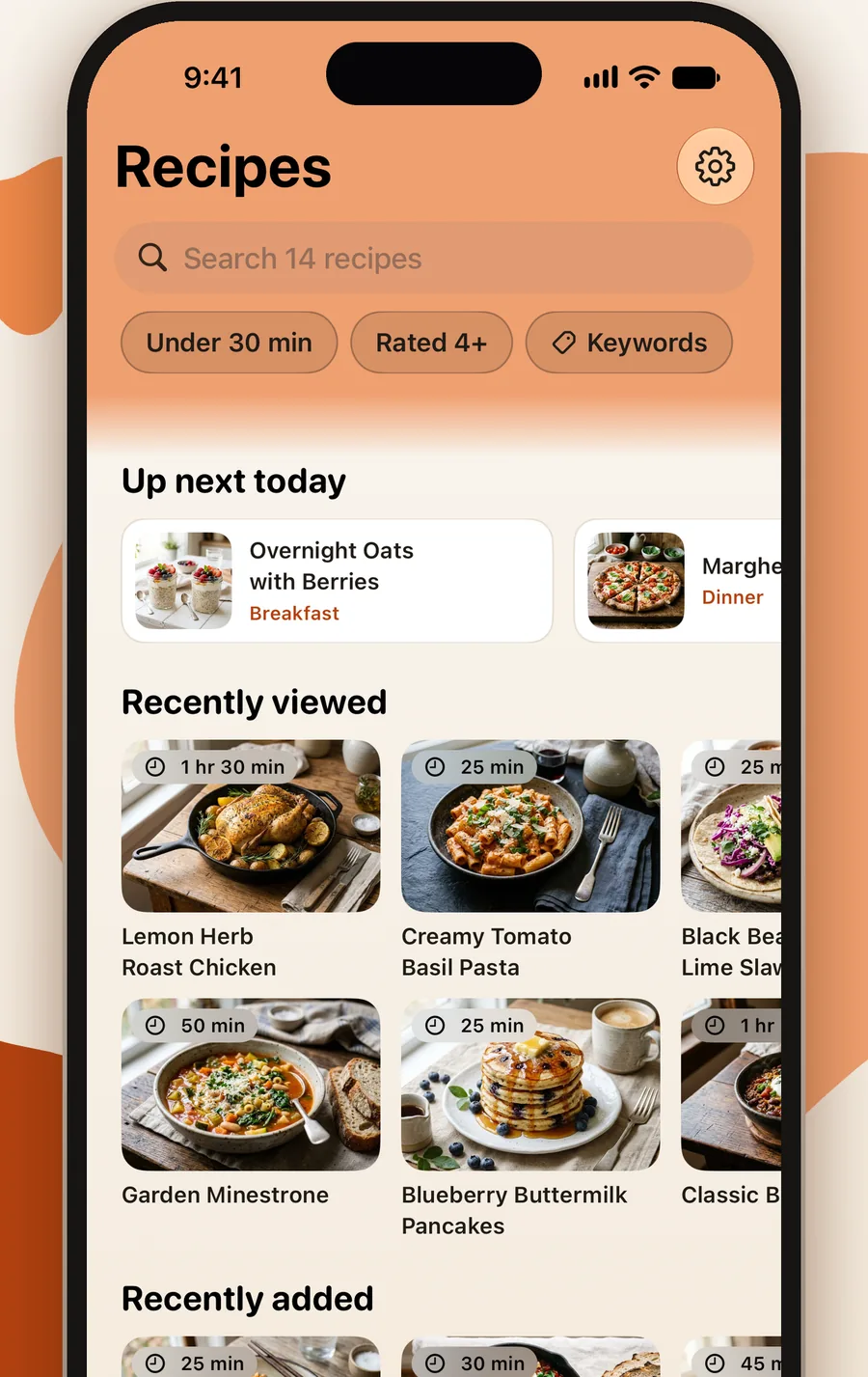
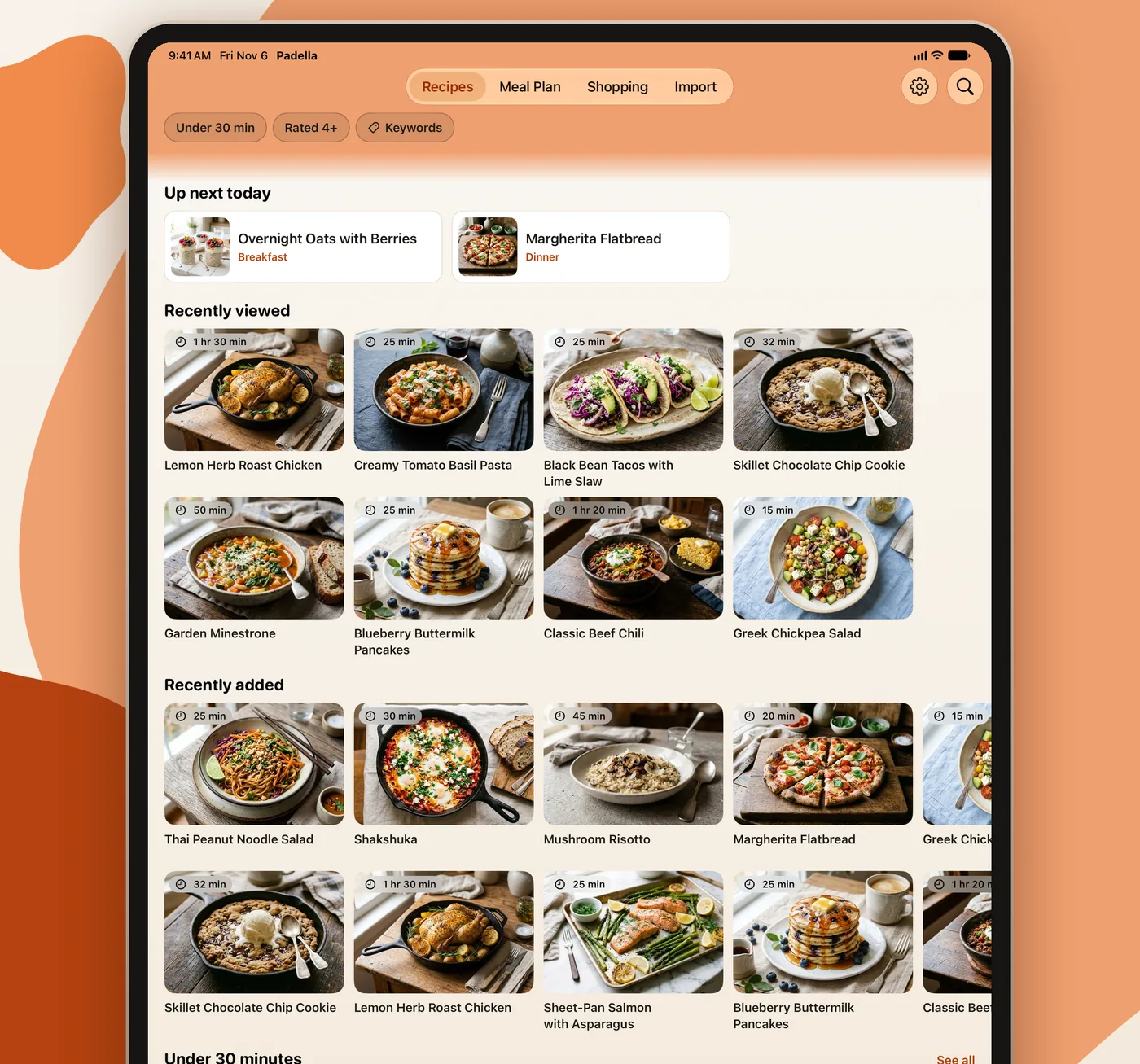
Shelves for what you'll cook next.
- The Recipes screen opens with shelves: Up next today, Recently viewed, Recently added, Under 30 minutes and more, each scrolling on its own.
- Choose which shelves show and in what order, and add shelves for your own keywords.
- Search your whole collection, or filter by Under 30 min, Rated 4+ and keywords.
- Recipes you've opened, photos included, still open without signal.
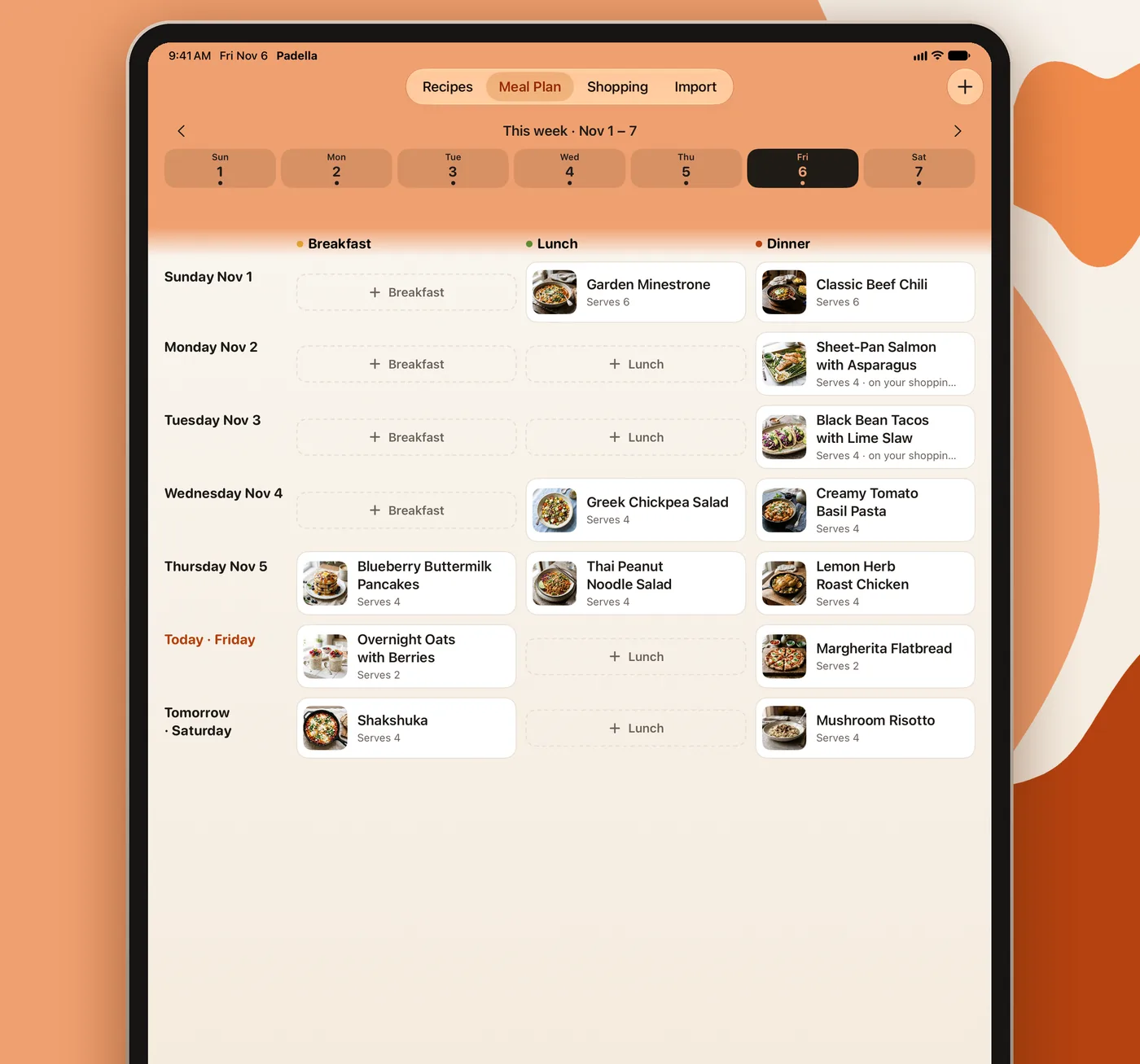
The week at a glance.
- Add breakfast, lunch or dinner to any day. On iPad, the week is a table with a column for each meal.
- Add a planned recipe's ingredients to your shopping list in the same step.
- Start the week on Sunday or Monday.
Aisle by aisle, signal or not.
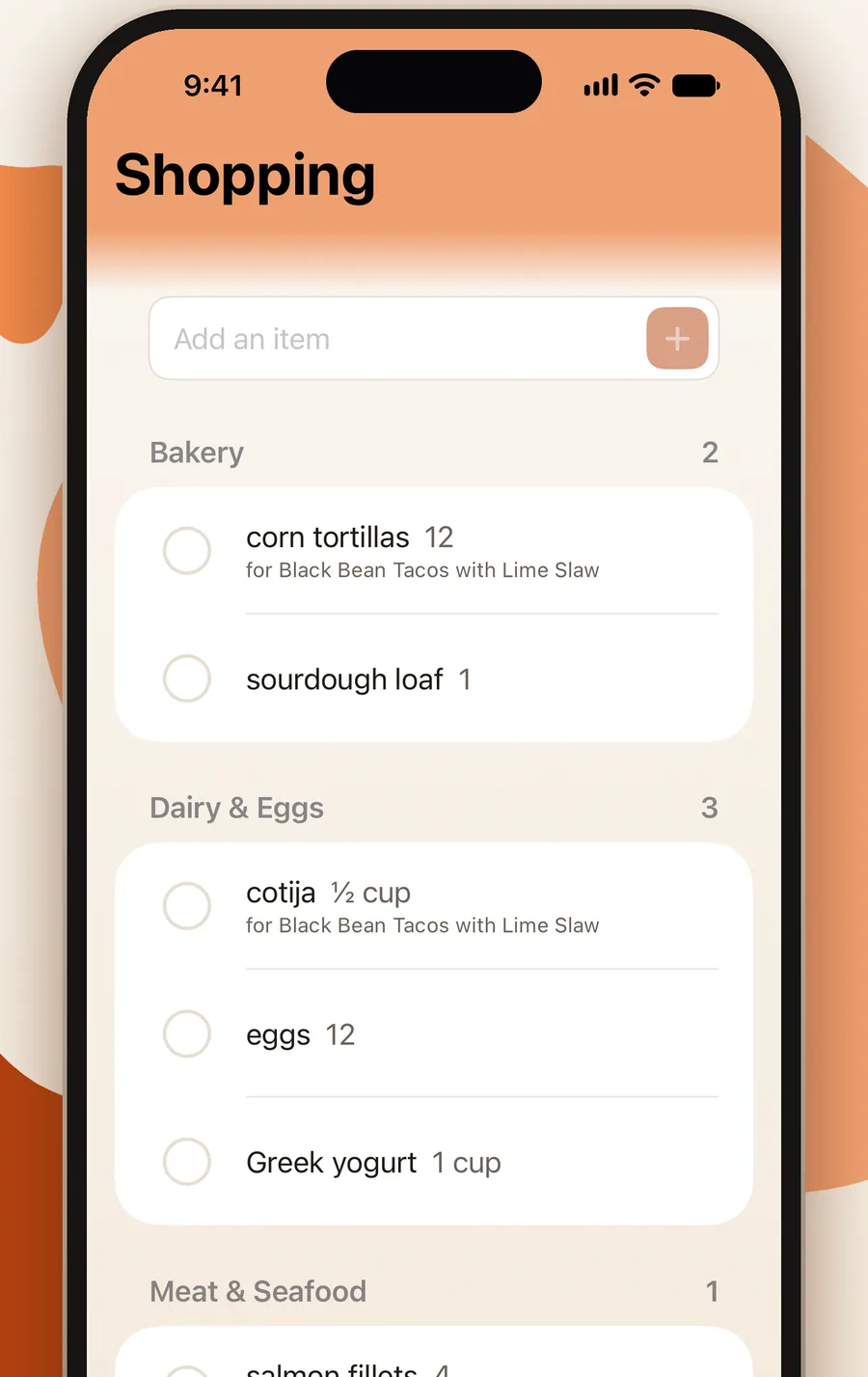
- Check items off, add your own and sort them by aisle.
- Works in a store with no signal: your changes sync once you're back online, with no duplicates.
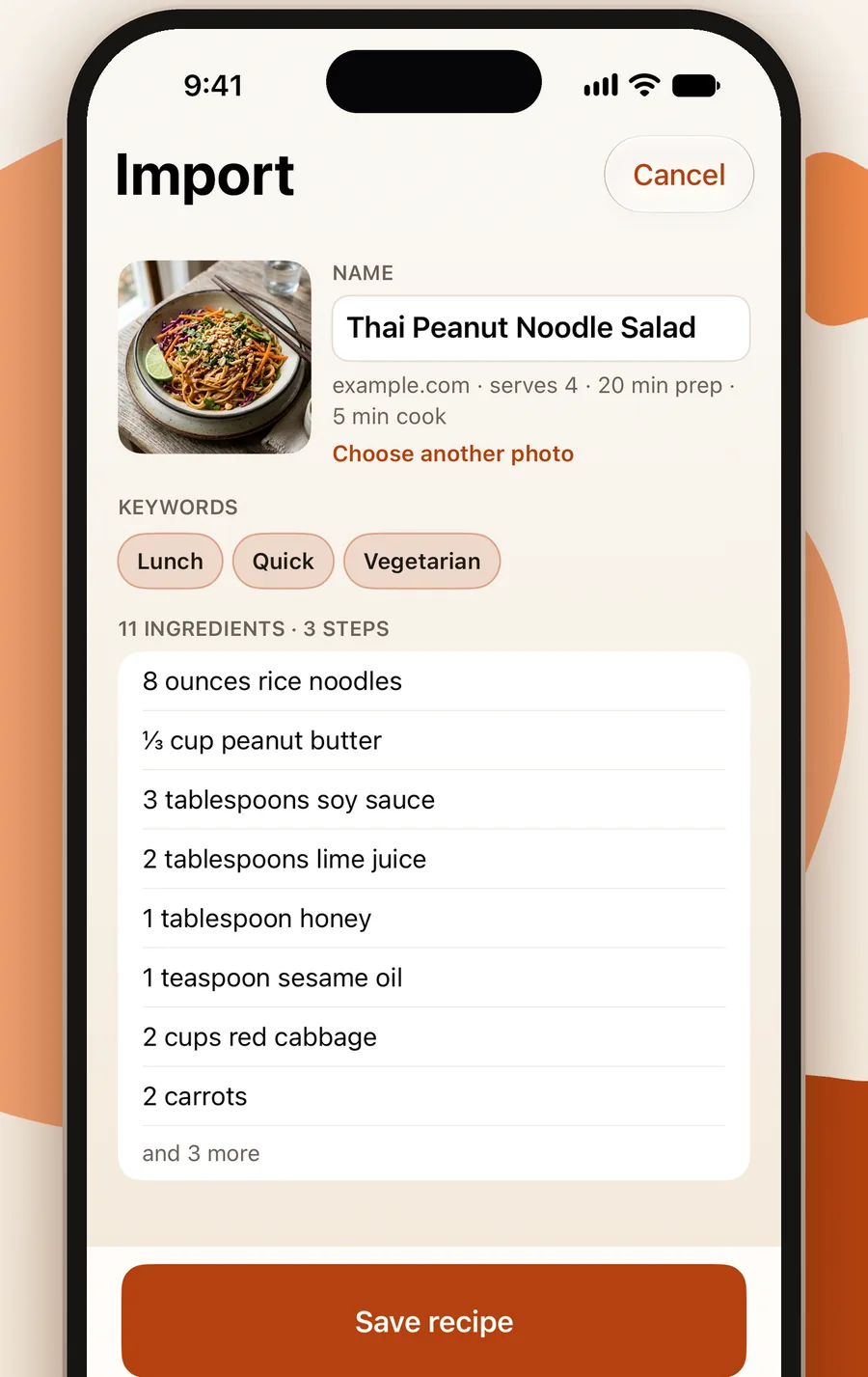
Save a recipe from any browser.
- On a recipe page in Safari, Chrome, Firefox or another browser, tap Share, then Padella, to save it to your server with its photo and keywords.
- Or paste a link in the Import tab. Padella warns you before saving a recipe you already have.
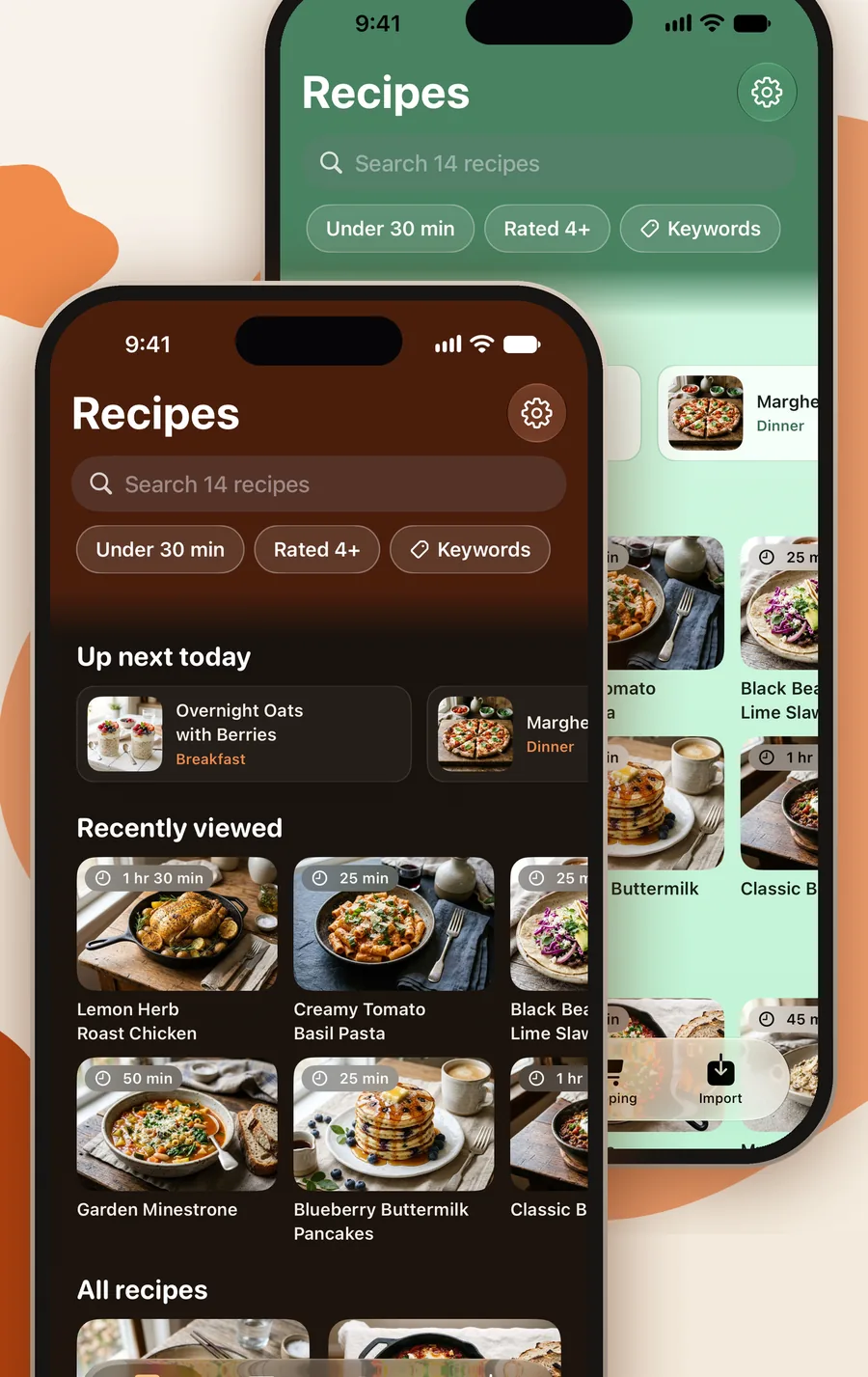
Pick a theme. Light, Dark, Black or System.
Several color themes, each in Light, Dark, Black and System modes, and amounts shown as fractions or decimals.
No account with us. No ads, no tracking, no analytics.
Padella talks to your Tandoor server and to the recipe pages you choose to import. Nothing else.
Your server address, token and custom headers are kept in the iOS Keychain on your phone or iPad.
The full privacy policy fits on one screen.
Padella is free on the App Store.
Padella (pah-DELL-ah) is Italian for frying pan. Requires iOS 18 or later and a Tandoor Recipes server, version 2 or later.